HTML is all you need!
Text written to accompany a presentation about HTML on an online meetup
This repository contains a live editor where you can see some HTML examples or experiment on your own. Remember that learning is an active process, not a passive one!
Nowadays it is easy to get lost in the plethora of javascript frameworks, trying to create your website and forgetting that to create a website you don't need any javascript. Plain old HTML is more than enough, and although I do believe that adding javascript might benefit your website, it's always for the best to know the basics very well.
So today I am going to walk you through the very basics of HTML: how your browser reads and renders it, a little bit about what an HTTP request is, and where CSS comes into play, but I won't get into much detail about CSS.
What is HTML?
HTML stands for hyper text markup language and it is a declarative programming language that is not turing complete.
It was invented at the beginning of the internet to easily exchange written documents across the world wide web (WWW) using HTTP. One of its most innovative features was that a document could be linked to as many other documents as someone wanted. This is the base of what you use today in your browser.
What is HTTP?
HTTP stands for hyper text transfer protocol, and as the name implies it has strong relations with HTML, at least for when and why it was invented.
HTTP is a transfer protocol built on top of the Transmission Control Protocol (TCP) to reliably transfer files across the WWW, enabling hypermedia information systems. In other words, it allows you to click a link and open another page or a cat picture.
Note: HTTP can be adapted to use User Datagram Protocol(UDP)
How does the browser interact with all this?
A browser is basically an HTTP client that requests files across the web; in other words, it fetches a file from a server, an HTTP server.
So when you open google.com, you request the address "/" from the server responsible for that domain (google.com), and as a response Google sends you an HTML file that your browser will render!
Note: Right click on browser and look at the page's source code, what you will see is a big HTML file.
Note: Some parts of a page are actually rendered by your operating system(OS) and not by the browser. One example is dropdown menus (
<select>) that will look in one way on your computer and a totally different way on your mobile phone.
What can I write in HTML?
Basically text, a lot of it.
You can also point to other files, and your browser will do its best to render them. For example, you might want to show an image alongside your beautiful text, so you write some markup that points to another file (an image); your browser makes a second request in the background, gets its response, and renders it in your page view.
Note that although most of the common browsers will embed the image file into the document, not all browsers are like that or may be configured to not do that. This is the case for browsers like Lynx, a terminal based browser that as far as I know only displays texts.
Some people might configure a browser not to load images to test accessibility, simulate a text browser or they might just not like images.
HTML syntax
HTML is written using tags that look like <tag></tag>. Each tag has its
purpose: add content inside the document, add information about the document, or
add semantic structure to the document.
Inside each tag you can declare multiple attributes using the syntax
key="value" or just key. Like, <div class="button" disabled>New post</div>.
Most HTML tags need an opening (<>) and an ending (</>), but some can be
opened and closed at once: <input type="text" />.
Here is a nice picture of an "html periodic table" by Castus that I've found on Smashing Magazine
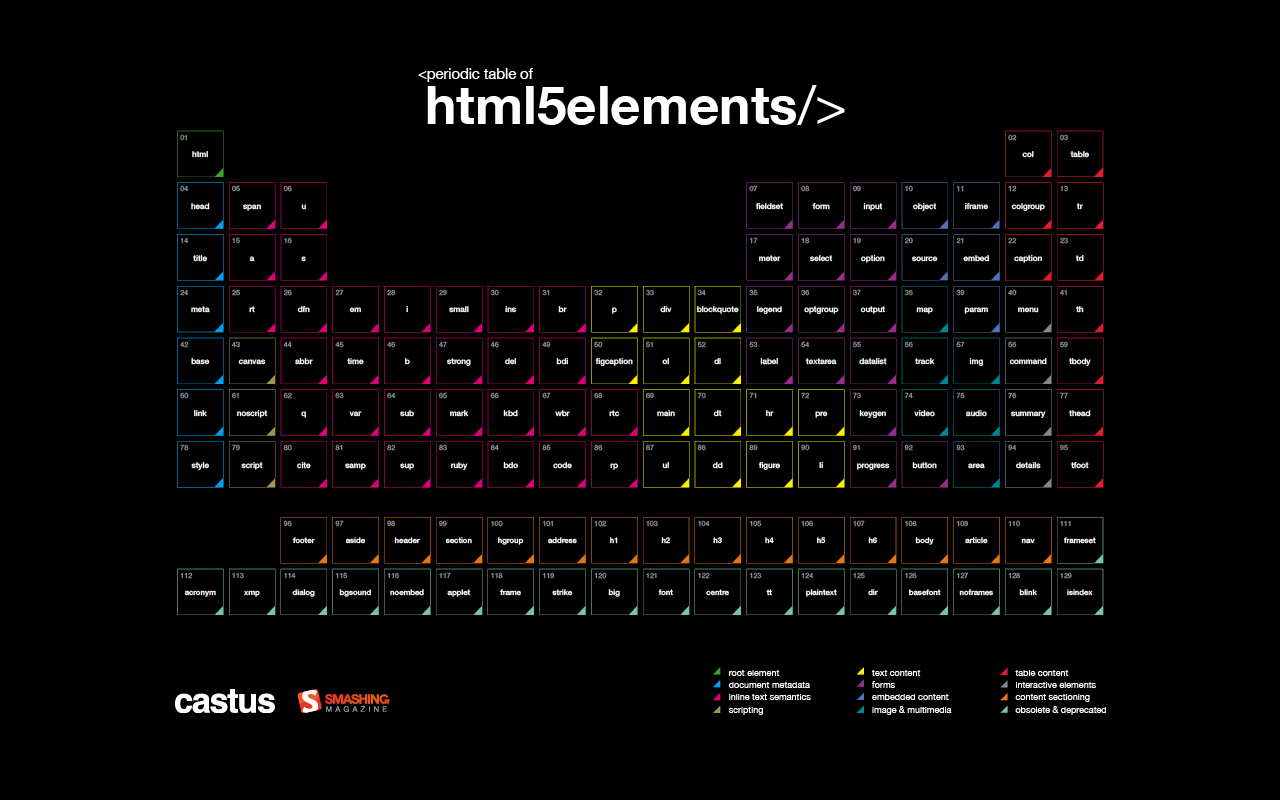
Those are all HTML tags that existed when this table was designed in 2015, nowadays there might be some small differences.
I created some HTML examples that you can find in this editor
Hope you enjoyed, keep learning!
marcel0ll